
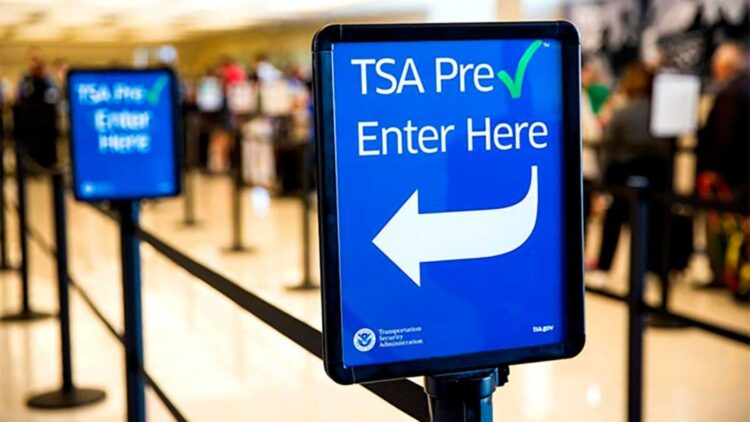
The TSA is warning all travelers who have registered for PreCheck (designed to speed up airport screenings) to make 100% sure they are on the official TSA website. According to the Administration itself, cybercriminals are creating very similar pages to steal travelers’ personal and financial data! What is happening to this world?!
The worst part is that victims don’t realize the scam until they’re at the airport, without a valid registration, without a solution, and maybe without money in the bank…
What is Phishing?
Basically, all the creativity someone could use to do good, they invest in doing harm. Cybercriminals create pages that are very similar to the official sites, they manage to rank them properly on Google, and when users search, in this case for “PreCheck”, instead of reaching the official site, they end up on the fraudulent one. They send their data believing it’s a 100% secure site and then… surprise!
The TSA insists that if you are going to register for the first time, never pay online and only use the official site with the “.gov” domain.
How the PreCheck scam works
As we were saying, this scam can happen through pages that look authentic or through urgent emails or text messages, inviting users to register “quickly” so they don’t lose their spot. The design is almost identical to the official site, but the domain ends in “.com” or “.org” instead of the legitimate “tsa.gov”. Stay alert!!
Data stolen before reaching the airport
When a victim falls for the scam, they enter their name, address, ID number, and even credit card. Everything ends up in the scammers’ hands. The result: compromised personal data and a false sense of security. Many affected people find out the truth when they try to go through security and discover they are not in the system…
First warning sign
If it’s your first time applying for PreCheck, you should never pay online. Payment is made exclusively in person, at an official enrollment center. If a page asks you to pay before going to an office, you are facing a scam.
Always start at tsa.gov
Don’t click on links you get by email. Type the official address directly in your browser: tsa.gov/precheck. Make sure the site starts with “https://” and ends in “.gov”. And make sure your browser shows the padlock next to the link.
And if they rush you?
Then you already know that’s not the place. They usually use “urgency” as a tactic, “you’ll lose your spot”, “hurry up”. No, friend, that’s not it!
Use antivirus protection and two-step verification
A good antivirus can detect malicious sites before you click. Also, enable two-factor authentication on all your travel-related accounts, like email or airline apps! That way you’ll prevent them from doing anything to you.
Report it if it looks suspicious
Any suspicious activity should be reported at ReportFraud.ftc.gov. Not only can you prevent other people from falling for it, but you also help the authorities act faster.
Why this scam could grow
Because criminals want to take advantage of you and your situation, especially now that it’s vacation or festival season, they know you’re in a hurry and don’t want to wait in line at the airport, and that’s where they’ll strike.
If you’re going to travel, protect your information, don’t trust shortcuts, and share this information with family and friends! In times when digital scams are growing uncontrollably, a little prevention can avoid a big problem at the airport. And safe travels!!