
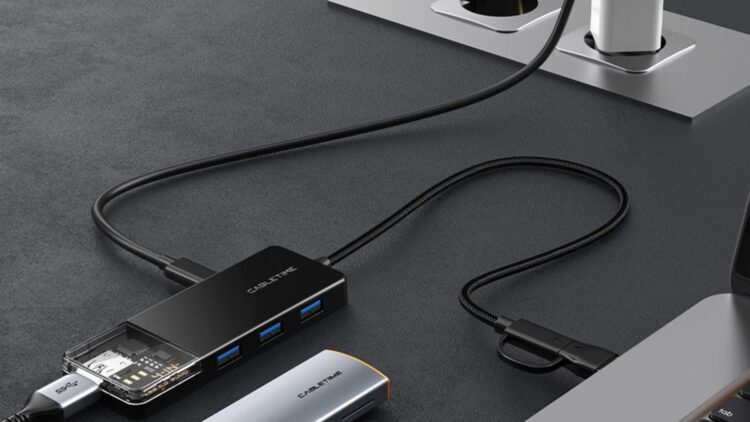
Surely it has also happened to you that you have used a USB hub and believed it was the solution to your problems, but suddenly it started failing, going slower… Everything seemed perfect, an organized desk, much more comfortable… But suddenly the camera doesn’t work, nor the keyboard, nor the external drive, the SSDs seem to move at a snail’s pace… and a lot of lag.
Even if you think it’s your PC that can no longer handle the years, it isn’t! It’s the hub in almost 100% of cases, and the thing is, these devices do not multiply energy; they distribute it and compete with all your devices over the same bandwidth. And of course, the failures and the slowness seem to come from the PC, but no! Nothing to do with it, the culprit is the hub, and we’re going to tell you why your setup collapses when you connect one of these devices.
What is a USB hub?
Basically, a device that adds USB ports to your computer (like a power strip). You connect one and it gives you several more ports. Quite convenient when you have to connect several things at the same time. Comfortable, practical, but the reality is that it does not multiply speed or power, it only distributes what was already there among the ports it has.
Bandwidth is not infinite
You have surely also seen that there are hubs that promise you speed and power for all kinds of devices, but as we tell you, they share the same space and the same speed: 10 Gbps, they cannot offer more.
For example, the famous Satechi Stand & Hub for Mac Mini is beautiful… until you try to copy a large file while you use a video capture device. The result is that the image goes black, the transfer freezes, and you stare at the screen saying “but what did I just do?”. And no, it isn’t solved by hitting the computer but by disconnecting the hub.
Latency
This is another limitation that can affect your computer’s performance, small but enough to be annoying.
For example, in a gaming keyboard that works at 8000 Hz (like the Keychron Q17 HE) it does not send huge data but it sends it all the time (a thousand times per second). Sharing that with a hub makes the rest of the setup destabilize.
Online, a streamer said that his monitor turned off suddenly during his Twitch streams, but after investigating, he discovered that the problem wasn’t the screen or the capture card… It was connected to the hub and was saturating the internal communication. He removed it and, magic, everything went back to normal.
Energy is not infinite
More things plugged in mean less power for each one. Easy, those hubs that have their own charger do help quite a lot (but they don’t perform miracles, remember that).
Mechanical hard drives, audio interfaces, USB speakers… all those devices drink energy. If there is not enough, they can disconnect on their own, work slower or directly not start.
Thunderbolt
It is expensive, yes, but if you need to connect several devices it is ideal because it gives you up to 50 Gbps (4 times more than a USB 3.2 Gen 2) and it has stable power.
And they promise that Thunderbolt 5 will go up to 80 Gbps, a highway for your computer.
To sum up
Modern laptops come with fewer and fewer ports, and hubs are a super useful option, but they are not a total solution to your problems (especially if they also slow down your computer).
They are perfect for connecting a mouse, a keyboard, or a flash drive, but if you are going to use capture cards, external SSDs, monitors, or audio interfaces… better avoid it because you could lose data and work.
And remember, do not connect your important devices to a cheap hub, and if you have to do serious work, it is better to invest in a decent device