
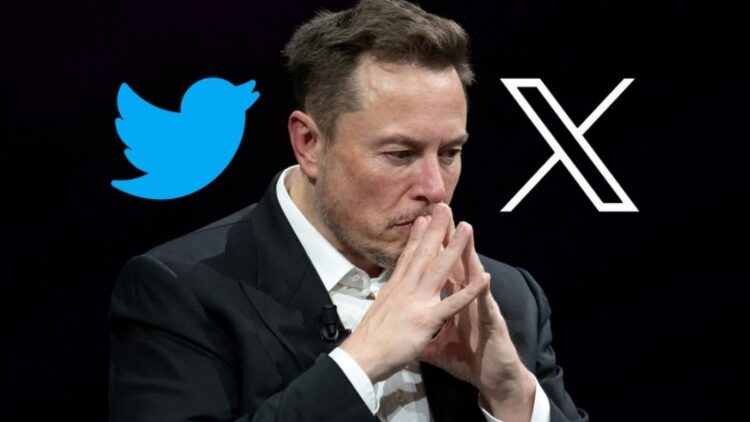
Twitter is disappearing… But wait, it’s not that the platform (now X) itself is going away, it’s that it will officially stop being called Twitter, Musk confirmed it some days ago. It will happen on November 10, marking the end of the platform that has most influenced the history of the internet.
Musk, let’s be honest, no one is going to stop calling it Twitter, but since it’s important that you know this information (so you don’t lose access), we’re going to tell you how not to lose your Twitter account on the new platform.
Change the passkey
If you use a physical security key or passkey and it’s linked to the old domain, you’ll have to register it under the X.com domain, because you won’t be able to access your account.
That is because when a domain is removed, they also removed all the keys on it. Passkeys are tied to the web address, so iff it changes, the system can’t recognize them
So, if you have an account that depended on a YubiKey, Titan, or any other advanced authentication method, you must make the change manually.
How to update on X.com
The process is easy but mandatory. Here are the steps:
- Log in to your account from X.com.
- Go to Settings – Security and Authentication.
- Remove the key associated with twitter.com.
- Register a new key under X.com.
If you use SMS authentication or apps like Google Authenticator, don’t worry: this doesn’t affect you. But those who rely on physical keys do risk being locked out.
The end of Twitter
For months, the twitter.com domain remained alive “behind the curtain” (and in everyone’s mind). It was used for internal processes, authentications, and old links. But all those systems will stop working.
And that includes bots, APIs, external services, and applications still linked to the old domain.
Beyond the technical aspect, this also marks an emotional closure for all of us… For more than a decade, Twitter was the epicenter of global debate, the place where elections, wars, lots of memes, and even celebrity breakups were discussed. How many fake death rumors started on Twitter while the person was actually at home relaxing with a gin and tonic? It gave us truly global moments of connection, football, political analysis, friendship… And now, it’s gone.
Hello “super app”
Since Elon Musk bought Twitter in 2022, the change has been quite noticeable (you know what I mean…). He took away the blue bird, then replaced the words “tweet” and “retweet” with “posts” and now he’s taking away the domain forever.
His plan is to turn X into a “super app” where you can chat, shop, invest, read news, and pay without leaving the platform. But the truth is, the platform has lost its essence and now it looks quite different..
Possible risks
Cybersecurity specialists are already warning:
- If you don’t update your keys before November 10, you could lose your account forever.
- X’s new verification systems are much stricter, so recovering your password might not be easy.
- Beware of phishing, as scammers are likely to appear trying to steal data from twitter.com.
And remember, if you receive a suspicious email or link, always check that the URL is exactly X.com.
Goodbye, Twitter
Our old friend is saying goodbye, the same one that gave a voice to social movements, global debates, revolutions, that opened our eyes to what happens in other countries, the friends we made (and maybe a few couples too), it’s gone for good.
Now we’re left with X, a place still searching for its identity between artificial intelligence and thousands of bots. Many users are moving to other platforms that try to continue Twitter’s legacy, but so far, none have managed to attract as many people, and they end up coming back to X.
Something more than just a website is leaving , the last trace of the blue bird that once taught us to say so much… in just 140 characters.