
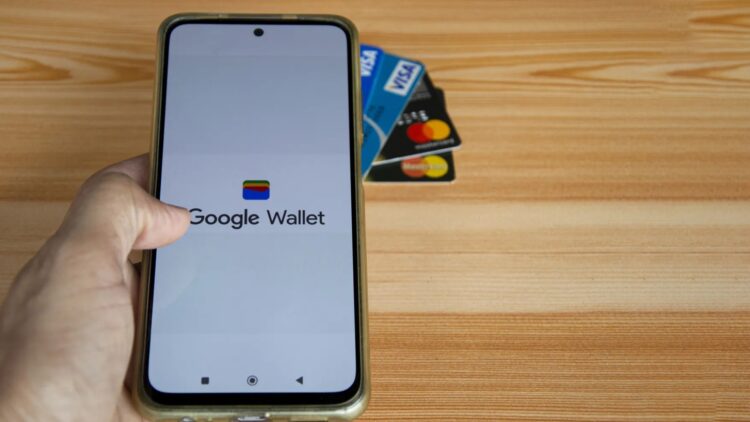
We all love to travel, that feeling of packing your bags, arriving at the airport, seeing your boarding gate, the excitement of thinking about your next destination. But, let’s be honest, preparing the documents for each trip is really tedious, between suitcases, schedules, and security checks, any tool that helps us optimize and make the process a little easier is always welcome. That’s why Google Wallet has now become a great ally, as it was iOS. Its latest update allows you to use your digital passport on your smartphone, without needing to take it out or check 12 times if you’ve got it with you in your bag.
It’s not just about convenience, it’s also an attempt to improve security and efficiency, as well as legal compliance with the Real ID, which, as you know, will be mandatory starting next May 7 for domestic flights.
And if you’re wondering why add the passport to your Google Wallet, we’re here to answer all your questions.
More convenience
Don’t you want more convenience? When you’re traveling, the last thing you want is to dig through your bag or backpack for your documents every time someone asks for them, and even worse if you’re, like some of us, forgetful and don’t know where you put them. Being able to show it on your mobile phone is progress, and it will be accepted at hotels, when picking up a rental car, and even to access transportation. It’ll save you more than one mini-heart attack thinking you lost it, we promise.
In case of emergency…
Usually, and those of us who grew up in times when Google Wallet didn’t exist yet, always carried a copy of our ID in case it was lost or, unfortunately, stolen. That won’t happen anymore, because the safest way is to carry it on your phone, that device we never separate from. Having our passport in Google Wallet is like always carrying a backup copy in your pocket without needing to fold up a paper into 7 pieces and stick it in your wallet.
Security always comes first
We’re not saying there are places more dangerous than others, nor that the chance of having your wallet stolen is extreme, but in places with tourists, there are always pickpockets. Many travellers prefer not to carry their physical passport during tours or outings, but there are places, like some museums, that require official ID. With your passport on your phone, this problem is solved without exposing yourself to losing the original document.
And the Rea ID?
As you’ve probably heard by now, the Real ID will be required to board any domestic flight or enter federal buildings starting next May 7. Luckily, the passport meets this requirement, and having the digital copy on your phone will be enough to get through checkpoints.
Less time at security checks
Has it happened to you that you put your passport away after check-in and then have to take it out again for the security checkpoint? If you’re flying from an airport that accepts digital IDs, as is already the case in some parts of the U.S., showing your passport on your phone might be enough to move forward without wasting time.
How to install your passport in Google Wallet
The first thing you’ll need to check are two things: first, that you have an Android phone with version 7.0 or higher and an active Google account on it, and second, that your phone has NFC enabled (the contactless payment platform).
If you don’t have Google Wallet installed, it’s as simple as searching for the app in the Google Play Store and downloading it.
Once you’ve downloaded or opened it, tap on Add to Wallet and select what you want to save in it, you can add your credit or debit card, your public transport card, your student ID, a loyalty card, and your identification (your passport in this case), and that’s it, installation complete.
Note: adding the passport to Google Wallet doesn’t replace the need to carry the physical document, but it does offer a little more security and peace of mind. And you, have you added it yet?