
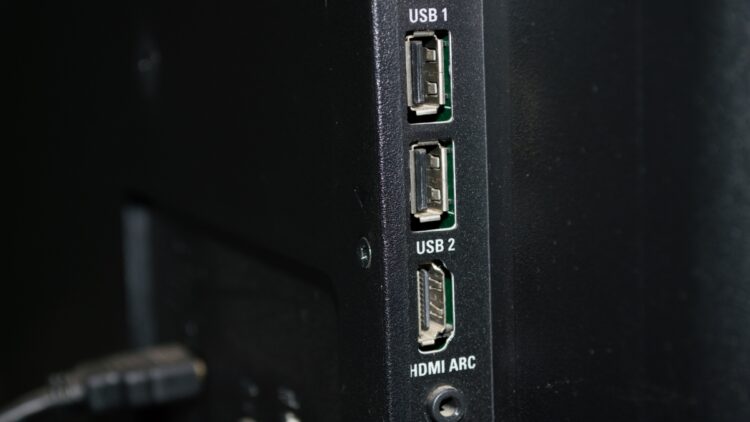
Televisions have changed a lot and are no longer the kind of TVs you could put figurines on or a white cloth on (like our grandmothers did!). Now they are much more modern and even have USB ports, I’m sure many of you haven’t noticed, but if you turn your TV around, you’ll realise that you can also connect a pen drive with movies, charge your mobile phone or add any device like a Google Home, for example, to make smart TVs out of conventional TVs.
Most people don’t know how to take full advantage of this USB port on our TV and we’re here to help!
Of course, not all USB ports are the same and if you thought they were all the same, you’ll be surprised to know that there is a key difference between them! Below we’re going to tell you everything you need to know to optimise your TV.
Differences in the USB port
You may have noticed, but the colour of the USB will change depending on the function for which it is designed, maybe now you are feeling that we are opening up the world to you, don’t worry, we also stayed the same at the beginning!
- If the colour of the USB port is black or white it means that you can use USB 2.0, you can connect keyboards, a computer mouse or pen drives with small files
- If the colour is blue, it will indicate that you can connect a USB 3.0 or 3.1 GEN1 this means that it will allow a higher connection, it will be perfect if you want to watch HD movies from an external hard drive
- In the case of light blue, it will indicate the same as dark blue but generation 2 (which will be even faster)
- The red colour will indicate USB 3.2, which is ideal for ultra-fast transfers to your television
- Finally, if it is yellow or orange it means that they continue to provide power even if the TV is off, very useful if you need to charge your device and you have nowhere to.
Other types of identification
While it is true that the colour of the USB shows us how fast it is to use, the number of pins or contacts that our USB has is not going to indicate what type of USB port it is.
For example, USB 3.0 has nine pins in total and USB 2.0 has four pins. It should be noted that it is USB 3.0 that charges super fast and is normally labelled SS for “SuperSpeed”
I’m not sure what the TV’s USB is for then?
It has several functions, you can record TV shows via a hard drive, you can connect a keyboard (if you have a hard time navigating, for example, Netflix with the remote control), you can use a Chromecast, a Fire TV Stick or similar things. And you can also update your TV’s software to improve the performance of your TV.
And getting the most out of your TV isn’t that difficult, and with so many streaming platforms it’s easy now, but even so, your television can do things without having to subscribe to any! And you can access platforms like FilmIn or Youtube, or saved recordings, from your home screen, and thanks to that USB we’ve talked about in this article you can watch your own downloaded movies (we’re not going to tell you where they come from…) to prepare for a good marathon night.
Have you already found where the USB on your TV is? Let us know how you use it! Enjoy!