
Having internet at home is something we have normalized almost as much as having electricity or water. Well, every day, there are many people who keep fighting with their Wi-Fi, many pages that do not finish loading, video calls that get cut, rooms where it is impossible to connect… And we are not even talking if you want to download something. The frustration when the Wi-Fi does not work is unbearable, and the providers offer solutions but they tend to be slow, expensive, or directly not enough.
So, we are going to help you with something that experts recommend, and you do not need to reinvent your entire home network, it is enough to combine a good router with a Wi-Fi extender that takes the signal where it does not reach now.
The battle against Wi-Fi
Most of us survive with the router that the provider gives us, without asking many more questions because it does the job, but the reality is that there are many devices that are basic, and they are designed to work in a mediocre way, they can support one or two devices, but when we have to connect several phones, televisions, consoles, computers to the same Wi-Fi it begins to get congested.
Buying a new and more powerful router can help you, but it is not always the perfect solution, especially if you live in a house with thick walls, several floors or far away rooms, so the recommendation is a Wi-Fi extender that captures the signal and amplifies it towards dead zones.
Wi-Fi extender
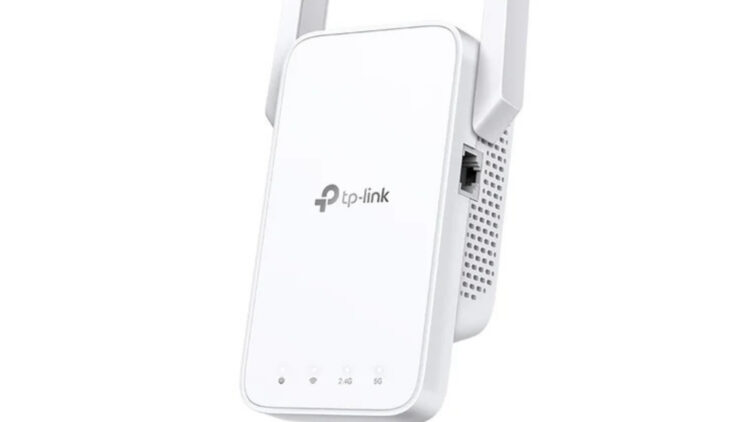
One of the devices that is booming on the internet is the TP-Link RE315 AC1200, a simple, cheap and quite effective extender. It has more than 37,000 reviews on Amazon and an average rating of 4.2 stars. Not bad.
This model supports dual-band networks up to 1,200 Mbps and supports up to 30 connected devices, you will be able to work from home while your children watch Netflix without noticing anything.
No space without Wi-Fi
The RE315 includes a function called Adaptive Path Selection, which automatically decides which band is better for each device and moment, so it takes advantage of the network and does not saturate it.
Also, it brings a guide light that tells you if you have placed it well or badly, it is very intuitive and it will save you some time of looking for which is the best place to put it.
If you have rooms where Wi-Fi disappears, patios or basements where nothing works… this saves you arguments with the network (and with your partner).
It installs very fast
Setting up the extender has no mystery at all, you plug it in, open the TP-Link Tether app and follow the instructions, you will not take more than 10 minutes.
Besides, it includes a Gigabit Ethernet port, perfect for anyone who wants to connect the TV, the console or the PC by cable and gain an extra bit of speed.
Wi-Fi extender or mesh system?
Mesh is incredible for large houses and people who want perfect coverage everywhere, but it also implies spending quite a lot of money and, sometimes, replacing equipment that still works well.
For most homes, especially those who just want to stop fighting with Wi-Fi, an extender is enough, cheaper and less invasive, you save that.
Small changes that also help
Before spending money, there are things you can try to make your router work better, like moving it to a more open place, putting it where it is not behind furniture or separating devices between the 2.4 and 5 GHz band.
Maybe trying these things you do not need to buy another device, if they no longer work then you can resort to buying an extender, it is simple.
Our daily life depends on Wi-Fi, we work, we learn, we entertain ourselves and we organize life from our electronic devices, but the Wi-Fi signal does not have to become the daily fight nor a renovation of the house, try this and tell us!